Digital 3D print fileDownloads as STL3MF
Personalised sign plate
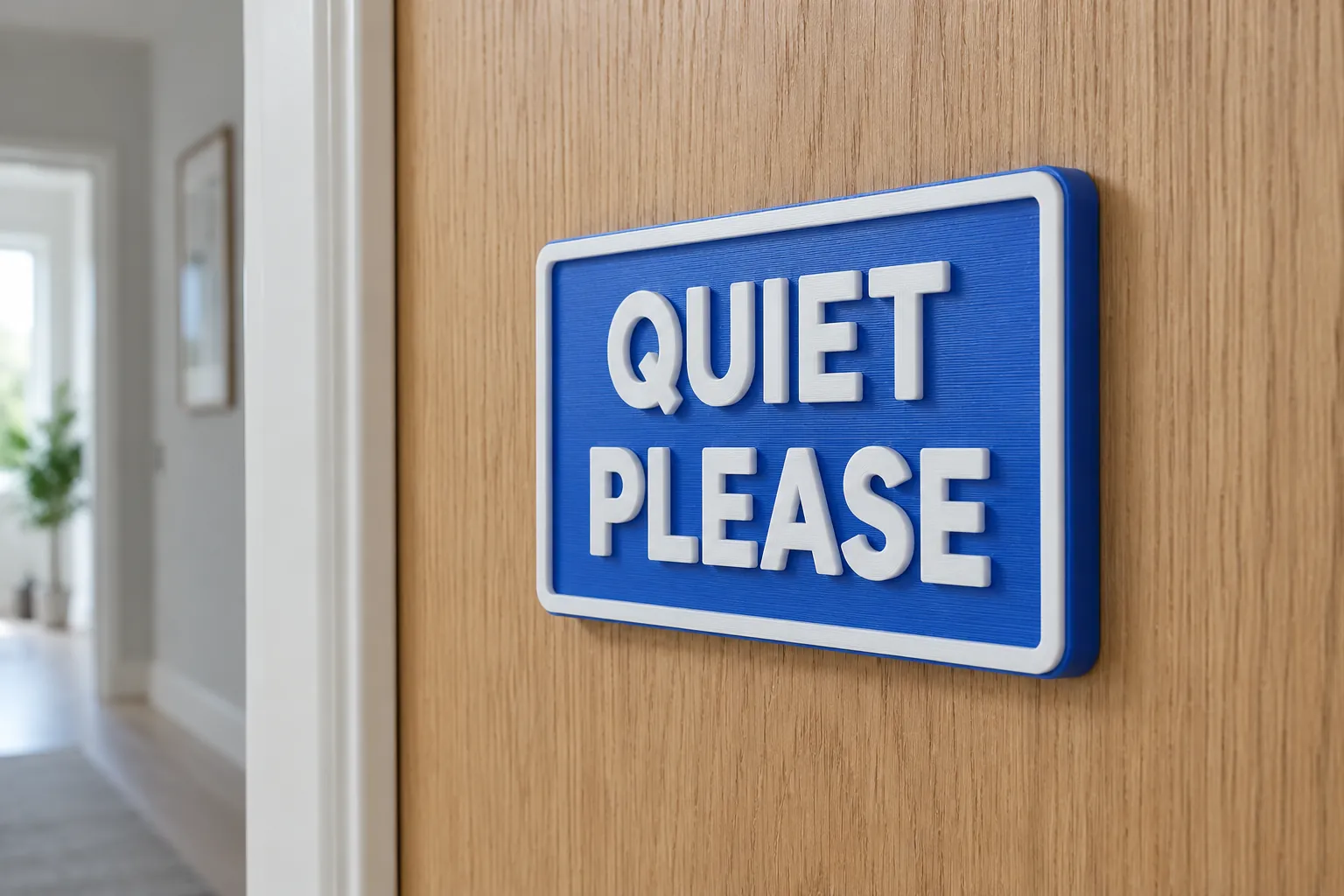
A framed sign with up to three lines of raised text for doors, walls, fridges and desks. It sticks to or slides onto a swap wall mount, so the next sign goes on the same bar, or add screw holes.
- Clad 2 colours, 1 filament swapColours stacked in layers, like a clad coin: pause and swap filament where each colour starts. No AMS needed.
- One Strike One pieceComes off the plate ready to use, with nothing to put together.
What you download
sign-plate-DAVID-EMILY.stlFor any slicer and any 3D printersign-plate-DAVID-EMILY.3mfA Bambu Studio project with the colours set
Digital files only. Nothing is posted: you print it yourself, for you or for your customers.
Single files and the Party pass and Season pass are for personal use and gifts. To sell prints you need an active Seller plan or Seller year pass; prints made while it is active stay yours to sell after it ends. The digital files themselves may never be shared or sold. Read the licence
- Size
- About 76 × 36 × 4 mm (7.6 × 3.6 cm) with the example text
- You type
- Top line, Second line, Third line, plus 19 more options for fine-tuning
- Colours
- 2 parts (base, text), so it prints in 2 colours or as one
- Files
- STL for any slicer, plus a two-colour Bambu Studio project
Why sellers like it
- Up to three lines of text, aligned centre, left or right
- Width fits itself to the text
- Swappable on a wall mount that stays put, or two or four screw holes
- Glue a magnet on the back and it becomes a fridge magnet
One sign for doors, walls and fridges
The sign plate is a framed plate with up to three lines of raised text. It works as a door sign, a wall plaque, a desk plate or, with a magnet glued on the back, a fridge magnet. The width fits the text automatically, so a short house name and a long office title both look balanced.
You can align the text centre, left or right, choose from five lettering styles including Devanagari, and add two or four screw holes when the sign needs to be fixed in place.
What you can change
The simple form asks for up to three lines of text, each up to 40 characters. In All options you can change the lettering style, the size of each line, the gap between lines and the alignment. Turn auto width off to set the width and height yourself, which is useful when a sign has to fit an existing space on a door. You can also change the border, the corner rounding and the size and position of the screw holes.
Printing tips
- Print the plate in one colour and change filament for the text and border.
- Use a larger first line and smaller lower lines for names with a title or address underneath.
- For outdoor doors, use the stud mount screwed to the door, or screw holes, so the sign is held mechanically.
Selling tips
Wedding signs, house names and kids' room signs all come from the same file, so show all three in your posts. Small offices and clinics often order several door signs at once in one colour scheme. Offer the fridge magnet version as a smaller add-on at a lower price.
Questions about the sign plate
How do I fix it to a door or wall?
By default it has two magnet pockets on the back and sticks to a swap wall mount, a small bar screwed or taped up once. Choose studs to slide it onto the bar instead. A new sign then goes on the same bar. You can also choose two or four screw holes in All options.
Can I make it a fridge magnet?
Yes. Press two 10 mm round magnets into the pockets on the back.
How big is it?
It scales with the text. With auto width on, the plate grows to fit the longest line. You can set the width, height and letter sizes yourself in All options.
Can I sell signs made from this file?
Yes, on the Seller plan you can print and sell as many as you like through any channel.
Ideas for selling it
More in personalised print ideas by occasion. Pricing an order? Try the profit calculator and the other free maker tools.
Sellers also offer
Start selling the sign plate
Type your customer's text, send them the picture, download the print file.
Early Black Fridaythrough Nov 30 (US Pacific time)
The Seller plan at $12 $6 a month
For your first 3 months, then $12. Every design, bulk lists, and the right to sell your prints. Comes off at checkout, no code needed.